
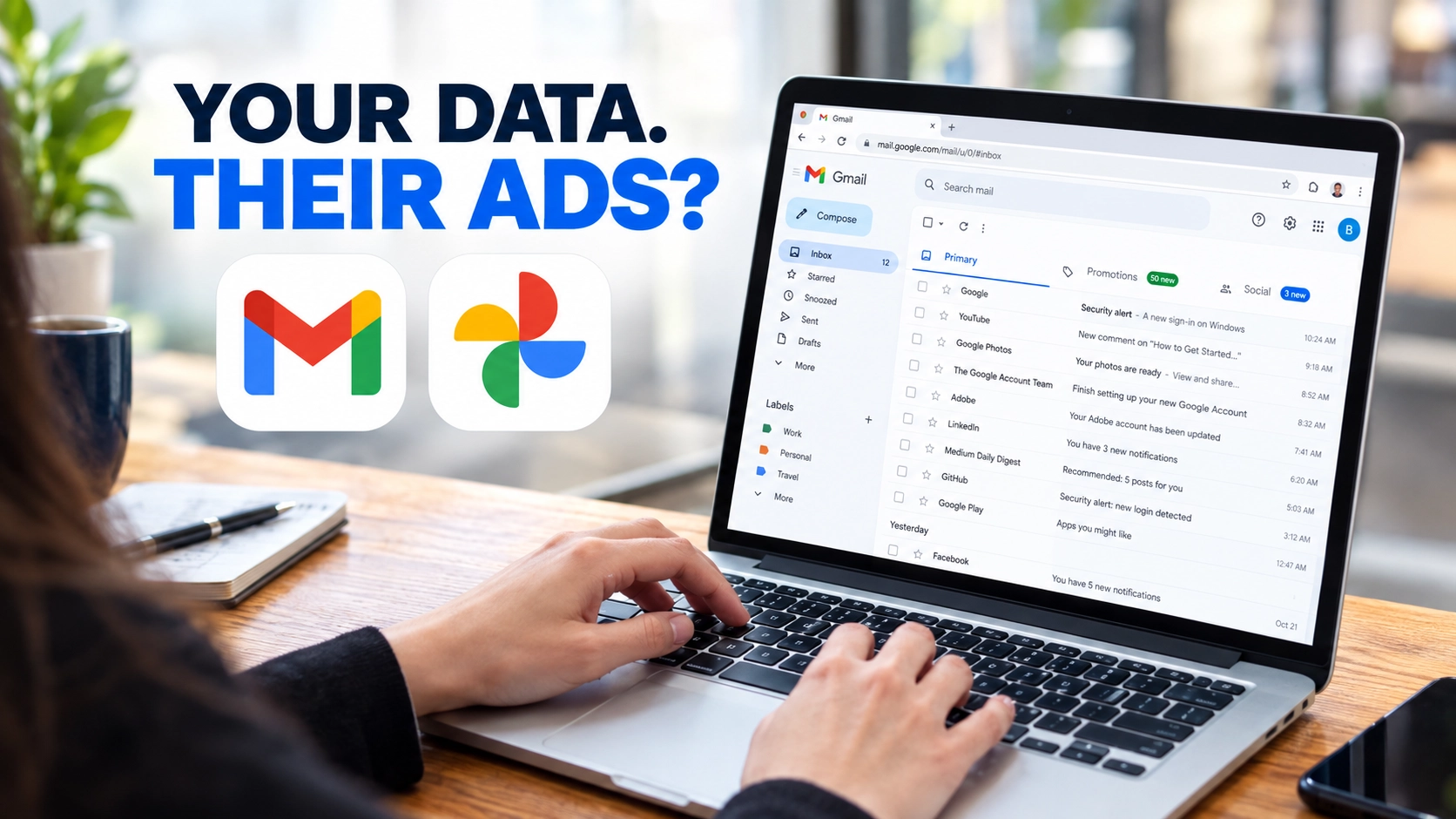
Google’s updated privacy policy allows connected Gmail and Photos data to help personalize ads in eligible services. Here’s who could be affected, what information may be used, and how to review your settings.
Your Gmail inbox may contain hotel bookings, shopping receipts, appointments and plans for your next trip. Google Photos may hold pictures that reveal where you have been, what you enjoy and who you spend time with.
Now, information from these personal services could help shape the advertisements you see on Google, if you choose to connect the relevant apps to supported services.
Google’s updated Privacy Policy took effect on October 16, 2026. It says Search may process information users allow it to access to personalize content, including ads. That raises an important privacy question: when you connect personal information to make Google’s AI more helpful, could that information also influence the ads you see?
The change does not mean Google automatically uses every Gmail account or photo library for advertising. However, if you enable the relevant connections, information from those services may be used beyond answering your questions.
What changed in Google’s privacy policy?
Google’s updated Privacy Policy explains that users can allow certain services, including Search and Gemini Apps, to access information from other Google services, such as Gmail, Google Drive and Google Photos, to provide a more personalized experience.
The policy also says Search may process some of the information users allow it to access to personalize content, including advertisements. It makes an exception to Google’s general restriction on personalized ads based on Gmail, Drive and Photos content when users choose to make that data available to other Google services that support personalized advertising.
From personal data to ad personalization
Three connected parts of the privacy question.

Personal data
Gmail and Google Photos

Connected services
Information may be used when eligible connections are enabled.

Ad personalization
Eligible services may use permitted information to personalize ads.
Important: This is a simplified illustration, not a claim that every user is affected or that advertisers can read private emails and photos.
Visual explainer by Secritic. Illustrative photographs are not screenshots of Google’s systems.
The distinction matters: this is about information users choose to connect, not unrestricted access to every person’s private inbox and photos.
The policy establishes that this type of data use is permitted under the stated conditions. It does not prove that a particular email or photograph has influenced an advertisement shown to a specific person.
How your Gmail and Photos could influence ads
Google’s Personal Intelligence features can use information from connected apps to make AI-powered responses more relevant.
Imagine that you receive a hotel reservation in Gmail. Later, you ask Google for restaurant recommendations near your hotel. If you have enabled the relevant connection, Search may use information from that reservation to tailor its response.
Google describes this type of personalization in its official Search Help documentation.
The advertising concern arises because Google’s updated policy allows information that Search is permitted to access to be used to personalize content, including ads.
That information may include summaries, excerpts or inferences drawn from connected content. An inference is a conclusion based on available information rather than necessarily a direct copy of the original message or photograph.
For example, a hotel booking might suggest that someone is planning a trip. That information could help an AI assistant provide relevant recommendations, and connected information may also contribute to ad personalization under Google’s stated conditions.
This is an illustrative example, not proof that Google has shown someone a particular travel advertisement because of a specific email.
Does Google use your actual emails and photos for advertising?
The distinction between original content and information derived from it is essential.
Google says personal data in Photos is not used for ads unless users choose to make that data available to another Google service that supports advertising. Its Google Photos privacy guidance specifically describes connecting Photos to Search as an example of how this can happen.
Google also says advertisers do not receive users’ personal information, such as their names or email addresses, unless users ask Google to share it in a particular context. That does not mean information from connected services can never influence ad personalization. These are different issues.
There is another important distinction: Google does not say that every Gmail message is routinely used to select advertisements displayed inside Gmail. Its Gmail advertising guidance says Gmail ads are selected automatically based on online activity and that Google does not scan or read Gmail messages to show ads within Gmail.
The policy change concerns information users choose to make available to other Google services. It should not be presented as proof that all inbox content is automatically used for advertising.
There is another privacy consideration: AI training and human review
Advertising is not the only data-use issue worth understanding.
Google’s Search Help documentation says that when users connect their Google content apps to Search services, information processed from those connections may be used to improve Google services, including by training generative AI models.
Google says it does not train these models directly on the entire Gmail inbox or on the images and audio in a user’s Photos library. Instead, it may use summaries, excerpts, generated media and inferences from relevant content. In some cases, such as when a message is short or particularly relevant, a summary may be the entire message.
Google also says a subset of information processed through certain Search AI features may be reviewed by trained human reviewers, including service providers, to improve service quality and safety. It says it takes steps to reduce personal information before this review, subject to stated exceptions.
These practices are separate from ad personalization, but they matter when deciding whether to connect personal accounts to AI services. Users should read Google’s current explanations before sharing information they consider confidential.
Who could be affected?
Having a Gmail account or using Google Photos does not, by itself, mean you have enabled this particular feature.
The key question is whether you have chosen to connect the relevant apps to Google Search services and whether the feature is available for your account and region.
Google’s connection guide identifies Gmail and Google Calendar through Google Workspace, as well as Google Photos, as supported content-app connections. Connecting these apps permits eligible Search services to access the information users allow them to use for personalization.
Google lists services including Search, AI Mode, Discover, Maps, Shopping, News, Flights, Hotels and Translate. This does not mean every service uses every connected detail to choose an ad. The actual processing depends on the service, the information made available and the applicable settings.
If you have not enabled the relevant connection, do not assume this policy change automatically gave Search access to your Gmail or Photos through this feature. Check your own account rather than relying on a headline alone.
How to check your Google privacy settings
If you do not want to connect personal content to Search for this type of personalization, review the relevant controls in your Google Account.
1. Open Search Services Personalization.
Use Google’s official connection guide to find the current settings. Google says its Search settings are being updated, so the exact labels may vary.
2. Find Connected Content Apps.
Look for the Personal Intelligence section and its connected-app controls. Check whether Google Workspace or Google Photos is connected.
3. Disconnect apps you no longer want to share.
If an app is connected and you no longer want Search to use it for this personalization, follow Google’s instructions to disconnect it. Review the confirmation screen to understand which connection you are changing.
4. Review personalized recommendations.
Google provides a Personalized Recommendations control for Search personalization. Changing this setting may affect other personalized features, so read Google’s explanation before making a decision. This control is not necessarily interchangeable with the connected-app setting.
5. Review and delete saved Search activity if necessary.
Disconnecting an app does not automatically delete information already saved in Search Services History. Google says users can manage and delete this history through Google My Activity.
6. Check your advertising preferences.
Visit My Ad Center to review controls for personalized ads. Changing your advertising preferences does not necessarily delete saved Search activity or disable every form of AI personalization.
These steps address different parts of your Google Account. If your aim is to limit connected-app access, start by reviewing Connected Content Apps rather than assuming an advertising preference will disconnect Gmail or Photos.
What happens after you disconnect an app?
Disconnecting an app should not be treated as a guarantee that all previously saved information has been erased.
Google’s Search Help documentation says disconnecting a connected content app, or deleting information in that app, does not delete information already stored in Search Services History. That history can still be used for product improvement, including AI training, under Google’s stated policies.
You can review and delete Search Services History through Google My Activity. If you want to limit what remains associated with your account, check this history separately rather than relying on disconnection alone.
The exact information retained and how it may be used depend on Google’s policies and settings. Do not assume that all information is retained indefinitely, but do not assume that disconnecting an app automatically erases every record either.
Is the convenience worth the privacy trade-off?
Connecting Gmail and Photos can make an AI assistant more useful. It may save you from searching manually for a booking, repeating details or explaining your preferences every time you ask a question.
But there is a trade-off. Information shared to improve one experience may also be processed under the rules of other connected services. Google’s updated policy makes that possibility relevant to advertising, while its Search documentation describes additional uses for improving AI services.
That does not mean every user should avoid these features. It means people should understand the permissions before enabling them and review their choices periodically.
The bottom line: Google’s updated policy allows information users choose to connect to eligible services to help personalize ads. It does not establish that every Gmail or Photos user is affected, that advertisers can read private messages, or that a specific ad was caused by a particular email or photograph. If you have connected Gmail or Photos to Search, review your permissions and saved activity so you understand what you have allowed.
Sources and reporting
This report draws on Google’s published documentation and independent reporting. Consult the original sources for the policy wording and current settings.
- Google Privacy Policy — Primary source for Google’s stated privacy practices.
- Google Search Help: Connecting content apps — Explains connected apps, data use and privacy controls.
- Techlicious: Google can now use insights from Gmail and Photos to target ads — Independent reporting published October 19, 2026.


Community discussion
Join the conversation
1 comment
Sign in to comment
Join the conversation with your Secritic account. Comments are available to signed-in readers.