

WhatsApp is introducing changes to the way people make calls, manage group conversations and protect their accounts. Some updates have been officially announced, while others are still being tested or gradually rolled out to selected users.
One of the biggest changes is guest calling, which lets people join a WhatsApp call without creating an account. Other developments include scheduled messages on Android, new chat themes on computers, additional parental controls and improvements to account security.
The important question is not simply which features are new. It is what they actually do, who can use them and whether they change anything about privacy or security.
This guide explains the most relevant WhatsApp updates announced or reported by 19 October 2026. It distinguishes official announcements from features still being tested, helping you understand what is available and what you may need to wait for.
WhatsApp features in 2026 at a glance
WhatsApp updates in 2026
What has been announced, what is still being tested, and what each change means for you.
Official announcements
WhatsApp has announced these changes. Availability can still vary.
Guest calling
Invite people without WhatsApp accounts to join a call through a browser link.
Read the official announcement ↗Passkeys and account security
Use supported device authentication and review stronger account-protection options.
Read the official announcement ↗Teen parental controls
Optional settings help families manage selected privacy and group controls.
Read the official announcement ↗Group polls and @all
Improve group decisions, alert members to important messages and create smaller groups.
Read the official announcement ↗Testing and gradual rollouts
These reports do not mean the features are available to everyone.
Scheduled messages
Prepare a message and choose when it should be sent, where supported.
Read the beta report ↗Desktop chat themes
Customise chat colours and wallpapers on supported versions of WhatsApp Web and Windows.
Read the rollout report ↗Sound stickers
Experimental stickers could add short audio reactions to conversations.
Read the development report ↗Redesigned Settings
A reported layout change aims to make commonly used settings easier to find.
Read the interface report ↗.
The overview below summarises the main developments before looking at each one in detail. Availability can vary, even after an official announcement, because some features are introduced gradually.
The overview is a quick guide, not a guarantee that every feature is available on every device. The sections below explain the evidence and limitations behind each update.
1. WhatsApp guest calling lets people join without an account


WhatsApp announced guest calling on 14 October 2026. The feature allows someone with a WhatsApp account to invite people to a voice or video call even if those guests do not have WhatsApp accounts themselves.
This could be useful for online lessons, work meetings, family conversations and other situations where participants use different messaging services. Instead of asking everyone to install WhatsApp and register, the organiser can share a call link.
According to the official WhatsApp guest-calling announcement, calls are free, end-to-end encrypted and have no time limit. Calls support up to 32 participants.
How guest calling works
How WhatsApp guest calling works
Invite people to a voice or video call, even if they do not have a WhatsApp account.
From invitation to joining the call
Four steps explain the process.
Create a call link
The host opens WhatsApp, selects the Calls tab, taps the plus icon and creates a call link.
Share the invitation
The host sends the link to invited participants using a suitable messaging or sharing method.
Enter a name
The guest opens the link in a computer browser, enters a name and requests to join the call.
Wait for approval
The host admits the guest. The host can also remove a guest from the call later.
What guests can do
- Join without creating a WhatsApp account
- Use screen sharing
- React with emojis
- Raise a hand during the call
What guests cannot do
- See other participants’ phone numbers
- Send WhatsApp messages through the call
- Add other people directly to the call
The host still needs WhatsApp
Guest calling removes the account requirement for invited participants, not for the person creating the call link.
Google Calendar and Outlook
WhatsApp announced plans for calendar integrations later in 2026. Do not assume these are available to every user yet.
2. WhatsApp is testing scheduled messages on Android
WhatsApp has also been reported to be rolling out scheduled messages to some Android beta testers.
In a report published on 12 October, WABetaInfo reported that users included in the beta rollout could prepare text messages, photos and videos and choose when they should be sent. The reported feature works with individual and group chats.
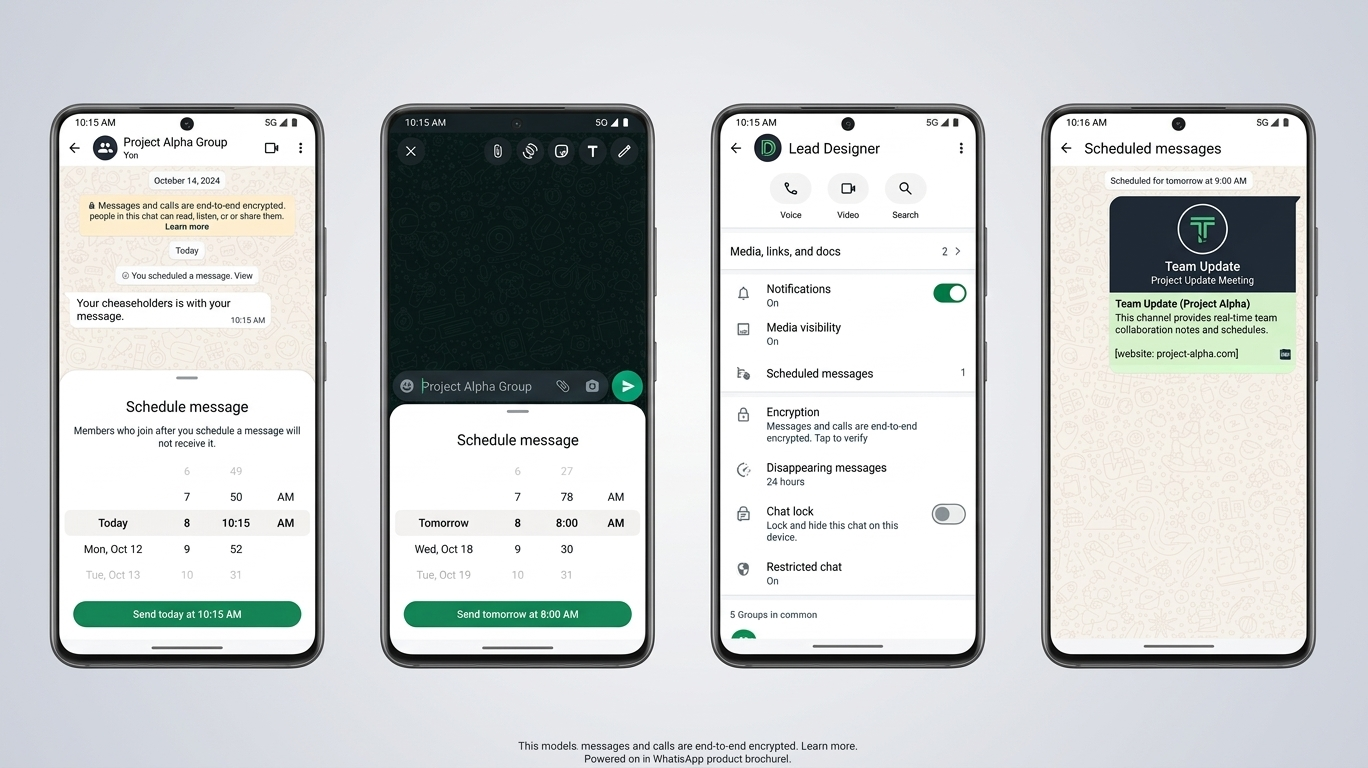
Scheduling could help people prepare birthday messages, reminders, work updates or messages for friends and colleagues in different time zones. It could also reduce the need to rely on a separate reminder simply to remember to send a message later.
However, this is a reported beta rollout, not confirmation that scheduled messages are available to every Android user, every iPhone user or everyone using WhatsApp Web.
If you cannot find a scheduling option, your app may be working normally. The feature may not have reached your account, or your version may not support it.
Users should also be cautious about third-party apps that request broad access to notifications, messages or accessibility settings to automate WhatsApp. Those permissions can expose private information, particularly when an app’s developer or data practices are unclear.
For now, scheduled messages are worth following, but they should not be treated as a feature everyone can rely on today.
3. WhatsApp Web is gaining more chat themes
WhatsApp is also making its desktop experience more customisable.
On 15 October, WABetaInfo reported a rollout of 27 chat themes for WhatsApp Web and the Windows app. The themes can change a conversation’s colours and wallpaper together.
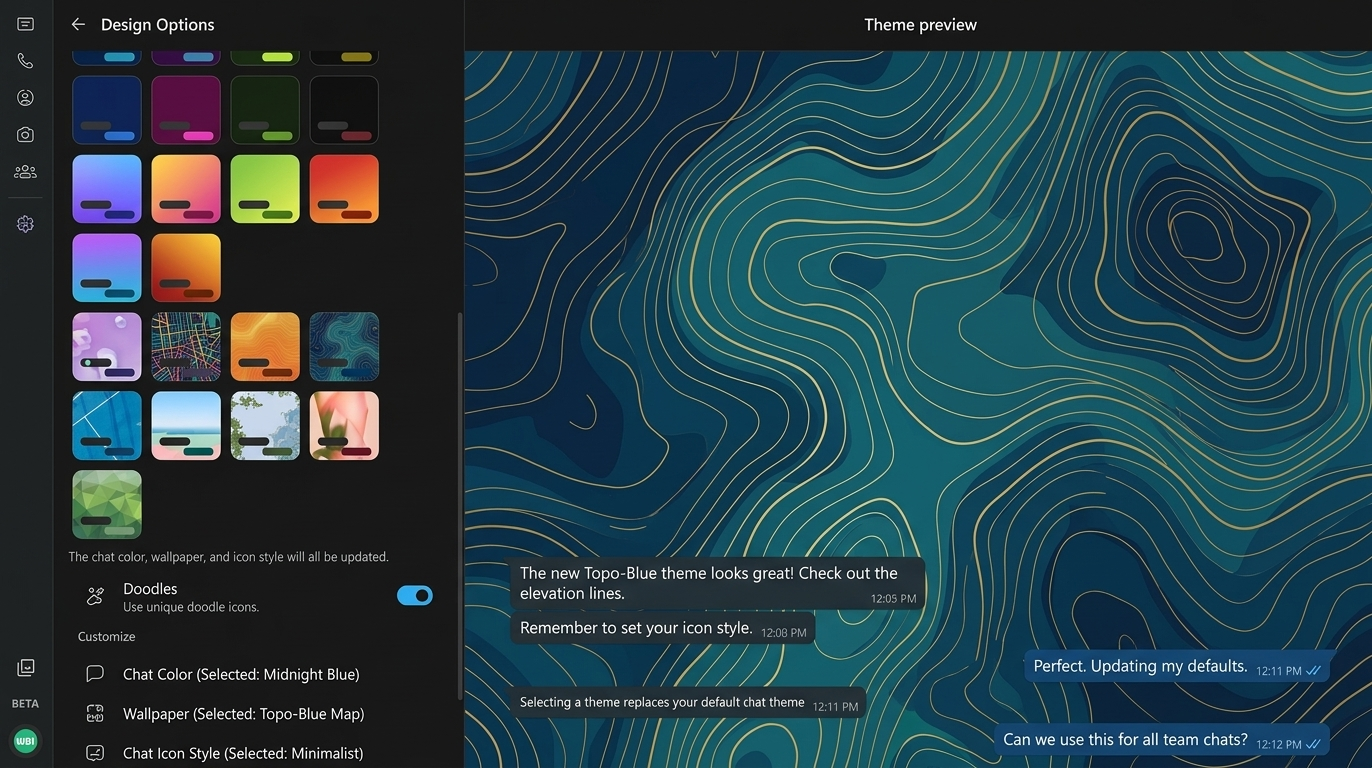
This is mainly a personalisation update. People who spend long periods using WhatsApp on a computer may appreciate being able to choose an appearance that suits them rather than using the same design for every conversation.
A useful privacy distinction is that your theme is a personal display setting. Changing the colours or wallpaper on your device does not automatically force the other participant to use the same appearance.
According to the WABetaInfo report on desktop chat themes, the feature was rolling out to some users, with wider availability expected over time.
If the option does not appear, check that you are using the official WhatsApp service and allow time for the rollout to reach your account. Reinstalling the app is not a reliable way to force a server-side feature to appear.
4. WhatsApp is introducing additional parental controls for teenagers
On 30 September 2026, WhatsApp announced optional parental controls designed to help families manage selected aspects of teenagers’ accounts.
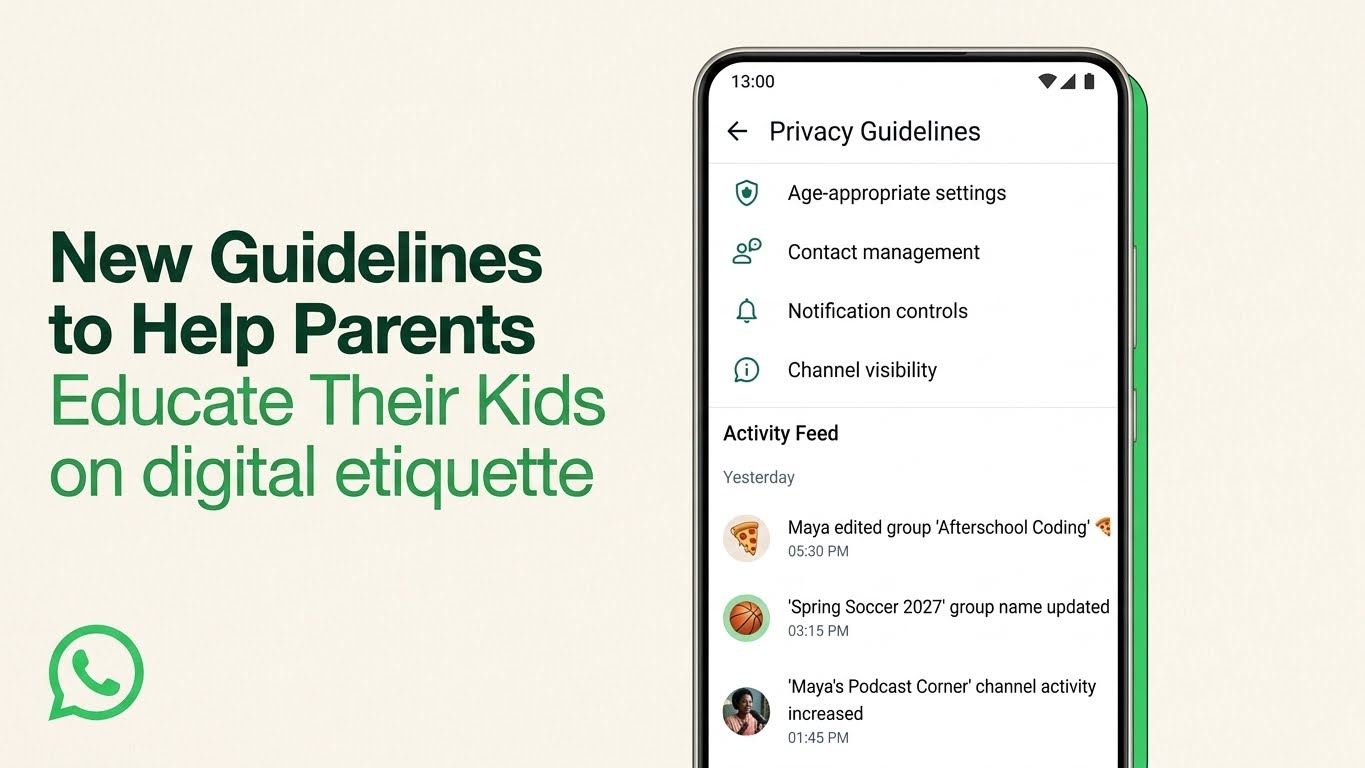
Parents can choose privacy settings for a teenager, including who can see their profile photo and who can add them to groups. They can also manage aspects of how the teenager uses Channels and Status, and choose between the default Meta AI experience and a stricter content option.
WhatsApp says parents can receive notifications when a teenager joins or leaves a group, or when a group they belong to grows significantly. If a teenager wants to relax certain restrictions, parental approval through a parent-set PIN may be required.
The controls are designed to help families guide teenagers’ use of WhatsApp without giving parents unrestricted access to private conversations.
WhatsApp explicitly says that personal messages and calls remain private and protected by end-to-end encryption when the controls are enabled.
The controls are optional, and families can adjust or turn them off. Availability and setup details should be checked in the official announcement about parental controls and its linked Help Centre guidance.
For parents, the practical step is to review the available settings with their teenager and discuss who can contact them, add them to groups or view their profile information. The controls can support those conversations, but they cannot replace them.
5. WhatsApp is expanding account security with passkeys
Some of the most important WhatsApp updates are not visual changes. They concern how users authenticate their accounts and make decisions about unfamiliar callers.
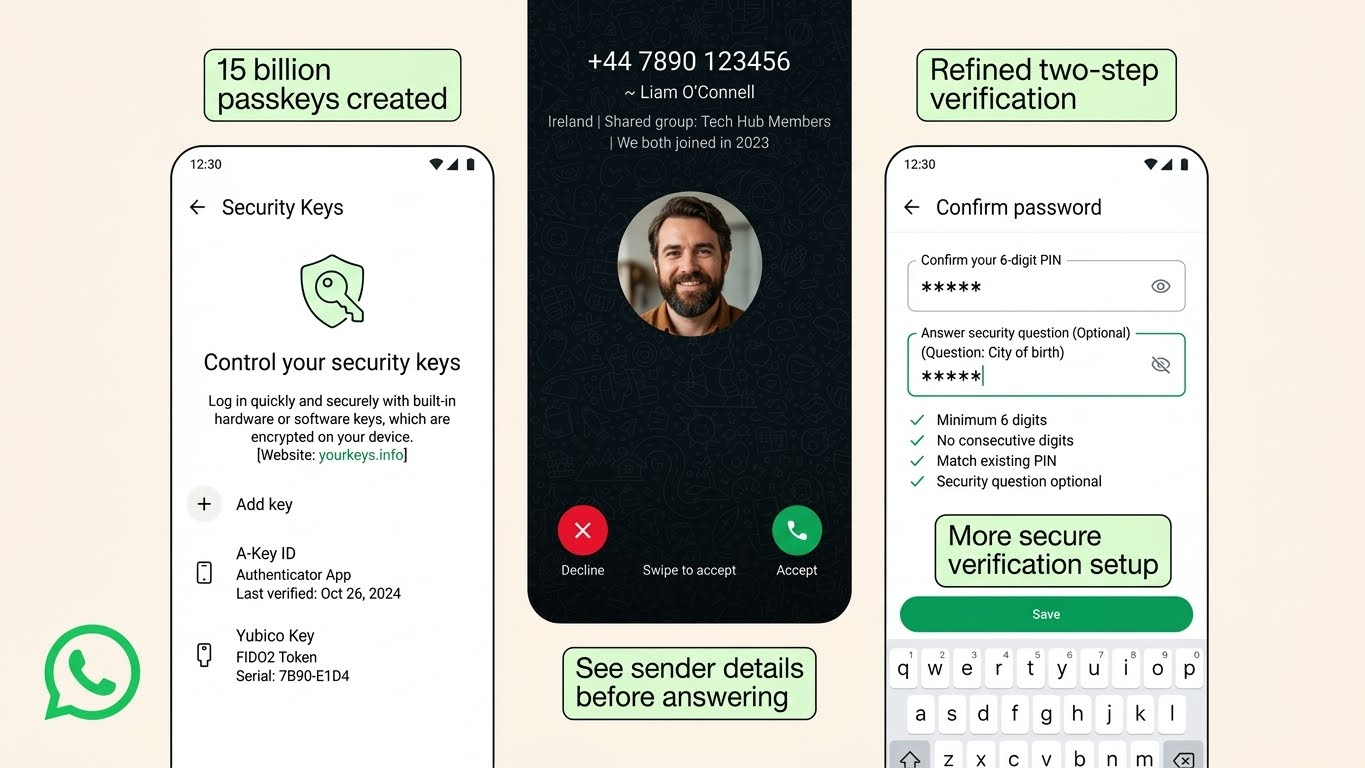
On 25 August 2026, WhatsApp announced that more than one billion people had set up passkeys on the service. This is a figure reported by WhatsApp itself.
A passkey lets a user verify their identity through a method supported by their device, such as a fingerprint, face recognition or screen-lock code. It can make signing in easier without relying on a one-time verification code in the same way as traditional verification.
WhatsApp says users can add more than one passkey to an account when using both Android and iOS devices. The company also announced an upgrade to two-step verification, allowing a longer password with letters, numbers and special characters instead of relying only on a six-digit PIN.
Another change adds more context for some calls from people who are not saved in a user’s contacts on Android. The information can include whether the caller’s number is from another country and whether the user shares any groups with that person.
The purpose is to give users more information before they decide whether to answer an unfamiliar call.
Read the official WhatsApp account-security announcement for the company’s description of passkeys and the related changes.
What users should do
How to protect your WhatsApp account
Four practical steps can help strengthen your account security and reduce the risk of common scams.
Check your security settings
Open WhatsApp settings and look under Account for passkey and two-step verification options. Menu names and availability can vary by device and app version.
Set up stronger authentication
If passkeys are available, consider setting one up through the official app. Use a strong, unique password for two-step verification if that option is offered.
Keep codes and PINs private
Never share a verification code or account PIN with someone who contacts you unexpectedly, even if they claim to represent WhatsApp or someone you know.
Check before you trust
A familiar name, a shared group or an apparent work connection does not prove that a caller is genuine. Be cautious with unexpected links and requests for sensitive information.
6. WhatsApp group chats are getting better polls and an @all mention
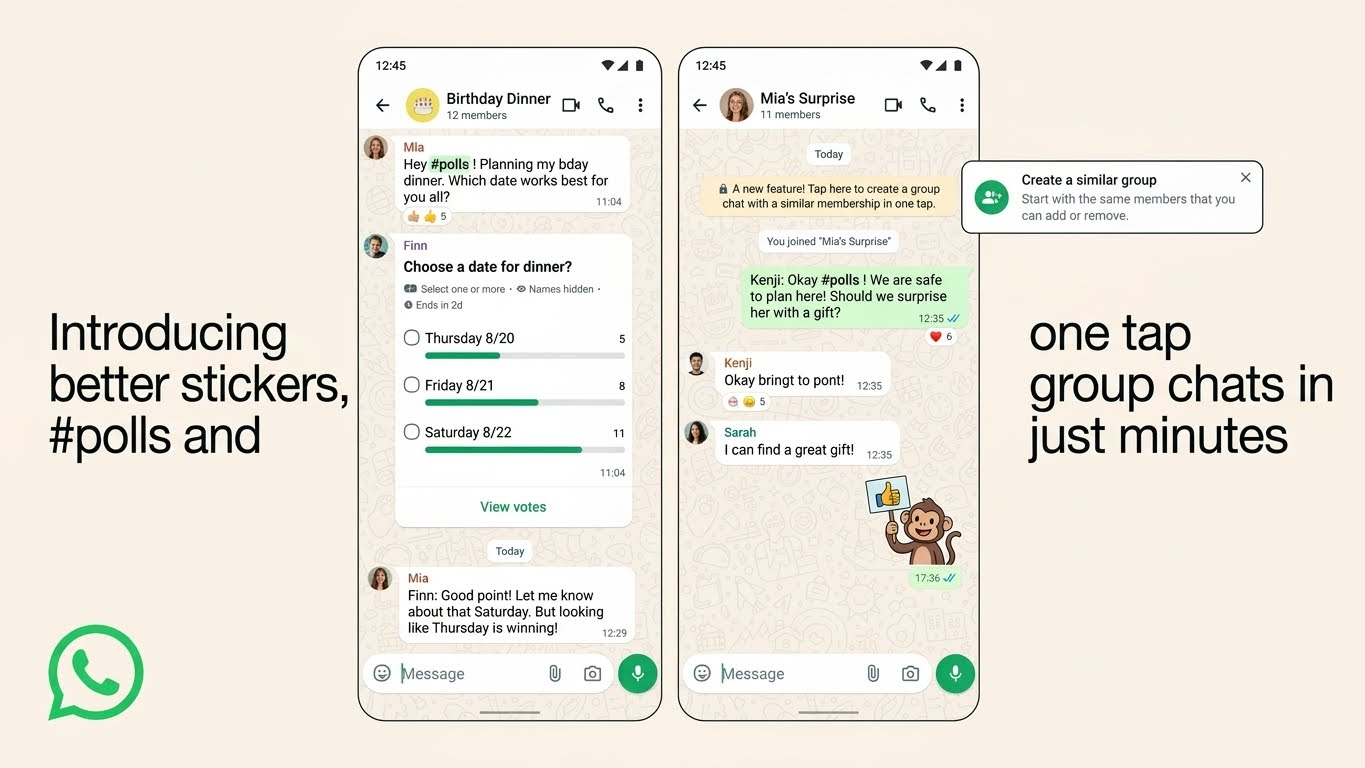
On 4 August 2026, WhatsApp announced several group-chat improvements, including better polls, an @all mention and a simpler way to create a new group from an existing one.
The changes are useful for people who use WhatsApp to organise events, coordinate work or make decisions with friends and family.
Better polls
Users can set an end time for a poll so that voting closes when the time is up. They can also hide voter names and edit a poll question within 15 minutes if they notice a mistake or need to clarify the wording.
These options could make polls more useful when a group needs to choose a meeting time, location or activity. Hiding voter names may also help people share preferences more comfortably.
The @all mention
The @all mention lets a user alert everyone in a group to an important message. It can be useful for a time-sensitive change, such as a revised meeting time or an event cancellation.
WhatsApp says that in groups with more than 32 members, @all is available to admins only. Although the feature can notify people even in muted groups, users can manage or mute @all notifications in their notification settings.
Creating a group from an existing group
WhatsApp also announced a way to create a new group using people from an existing group without adding each person individually.
For example, a large event group could be used to create a smaller planning group. This can make coordination easier without cluttering the original conversation.
The details are available in the official WhatsApp announcement about group-chat improvements.
These changes can make group conversations easier to organise, but users should still reserve group-wide notifications for messages that genuinely need everyone’s attention.
7. Sound stickers are still an experimental feature
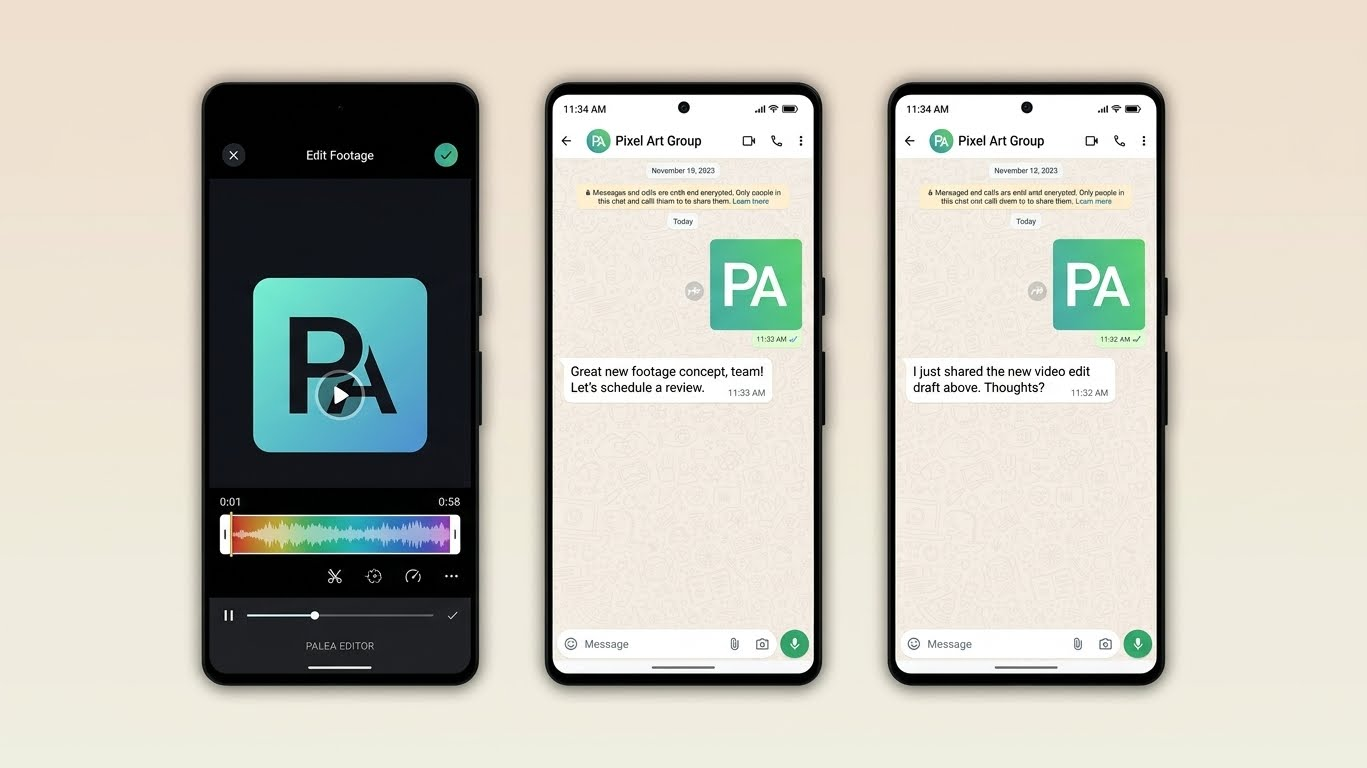
WhatsApp has also been reported to be testing sound stickers on Android.
In a report published on 13 October, WABetaInfo described a feature that would let stickers play audio when shared. WhatsApp was also reportedly exploring a way for users to create their own sound stickers.
Unlike a static or animated sticker, a sound sticker would add an audio element to a conversation. It could provide another way to share short reactions without recording a full voice message.
However, the report described the feature as under development, not a public release available to everyone. Features in development can change before launch, and there is no confirmed public release date in the cited report.
Sound stickers are therefore worth watching, but they are a lower priority than the account-security and calling changes that users can assess through official announcements.
8. Older phones may need a supported operating-system version
WhatsApp periodically reviews which operating systems it supports. Users with older phones should pay attention to these requirements because an app update cannot always compensate for an operating system that is no longer supported.
WhatsApp’s official supported-operating-systems guidance lists Android phones running Android 6.0 or newer and iPhones running iOS 15.1 or newer. The Help Centre states that from 30 November 2026, iPhones will need iOS 15.5 or newer to remain supported.
Separately, WABetaInfo reported a login warning or restriction affecting some devices running outdated software. That report should not be interpreted as evidence that every older phone will stop working on the same date. The official minimum requirements and any reported rollout restrictions are different pieces of information.
What to do if WhatsApp asks you to update
Open your phone’s normal software-update settings and check whether an official update is available. Back up important information before a major software update and make sure you understand your recovery options.
If your phone can no longer install a supported operating system, check WhatsApp’s current compatibility guidance before deciding what to do next.
Do not download an unofficial WhatsApp installation file or provide account details to a website promising to bypass a support restriction. Those workarounds can put your account and personal information at greater risk.
9. WhatsApp is also testing smaller interface changes
Some recent reports concern changes to the app’s layout rather than entirely new capabilities.
On 13 October, WABetaInfo reported that a redesigned Settings tab was rolling out to some iOS users. The reported design brings commonly used options into the main Settings screen and moves less frequently used options into a separate menu.
This is a usability improvement rather than a major change to messaging or security. It may make the app easier to navigate, but users should not expect the new interface to appear on every device at the same time.
The WABetaInfo report on the redesigned iOS Settings tab provides the reported details.
How to check for WhatsApp updates safely
If a feature mentioned here is missing from your phone, update WhatsApp through the official Google Play Store or Apple App Store and check that your operating system is supported.
A new feature may also be enabled gradually on WhatsApp’s servers, so installing the latest version does not guarantee immediate access. For beta features, availability is usually more limited, and the design may change before a public release.
Use the official WhatsApp Blog for announcements and the WhatsApp Help Centre for supported devices and account guidance. Specialist trackers such as WABetaInfo can help identify features under development, but their reports should be read with the stated rollout status in mind.
Avoid unofficial apps that promise access to unreleased features. Never share your verification code or account PIN with someone claiming they need it to activate an update.
Sources and update history
This article draws on WhatsApp’s official announcements and Help Centre information, supplemented by specialist reporting where a feature is still in testing or rolling out gradually.
Official sources
- WhatsApp guest calling, 14 October 2026
- Parental controls for teenagers, 30 September 2026
- Passkeys and account-security updates, 25 August 2026
- Group polls and @all, 4 August 2026
- Supported operating systems
Last checked: 19 October 2026. Feature availability can change after publication. This article should be reviewed when WhatsApp makes a relevant announcement or changes its supported-device requirements.



Community discussion
Join the conversation
0 comments
Be the first to join in
There are no comments yet. Sign in to start a thoughtful discussion.
Sign in to comment
Join the conversation with your Secritic account. Comments are available to signed-in readers.