
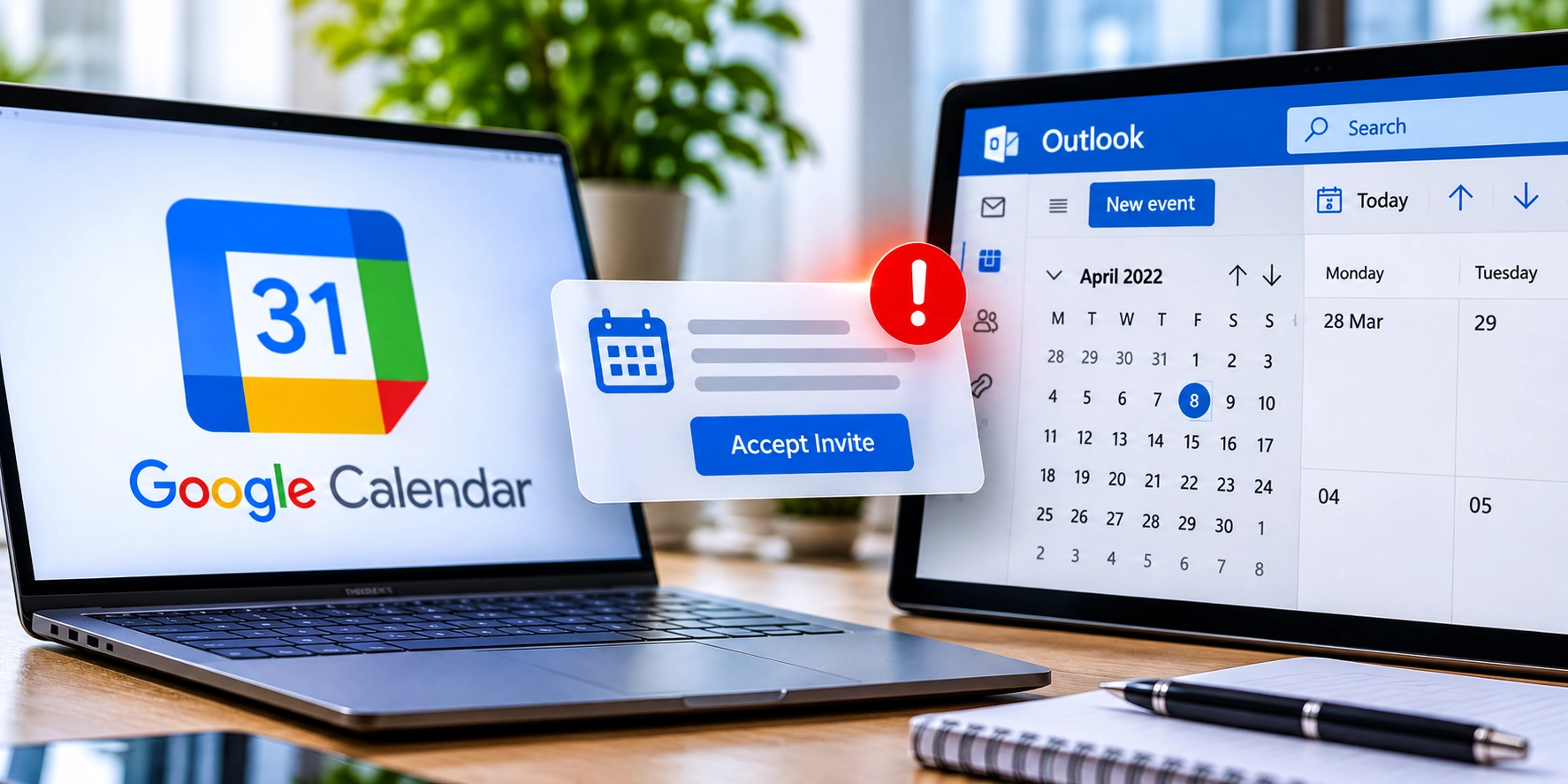
Cybercriminals are planting fake Chase bank-charge alerts, bogus payment warnings, and fraudulent Squarespace domain-renewal notices directly inside people’s Google Calendar and Microsoft Outlook schedules. According to Sublime Security’s Q3 2026 threat research, malicious calendar-invite attacks jumped by more than 1,000% month-over-month in the firm’s enterprise email-detection telemetry during August and September 2026, a wave that has continued spilling into everyday inboxes ahead of the holiday season.
In a November 17 interview with WTOP News, Sublime Security threat detection engineer Luke Wescott highlighted how attackers are tailoring these calendar lures for ordinary consumers. Examples documented by researchers include fake alerts claiming “$700 was just charged to your Chase bank account” alongside a toll-free callback number, as well as warnings that a Squarespace domain is about to expire unless the victim clicks a link to update billing details.
The trick works because email and calendar apps often process incoming invitations separately. Criminals send an email containing an iCalendar (.ics) file, which is a standard plain-text file used across Google Calendar, Outlook, and Apple Calendar to share meeting times and notes. Because an .ics file contains text rather than executable software code, it frequently slips past basic email attachment filters, and default calendar settings can place the event onto your schedule even if the underlying email is routed to your spam folder.
Seeing one of these fake alerts pop up on your phone or computer does not mean your device has been hacked. Simply viewing a calendar entry will not infect a smartphone or PC, and no reliable nationwide consumer-loss total has been established for this specific calendar scam. However, scammers design the alerts to trigger panic so you will take a secondary step that puts your money or accounts at risk.
In callback scams, the event description urges you to dial an unfamiliar customer-service number to dispute a large bank or PayPal charge. Victims who call are connected to fraudulent call centers that try to extract online banking passwords, debit card numbers, or remote access to their computers. Other invitations contain links leading to lookalike login pages built on legitimate web tools to steal account credentials, or in enterprise campaigns documented by researchers, links that download remote-management software.
On public forums such as Reddit’s r/phishing community, individual users have also shared unverified accounts of receiving repeated PayPal charge reminders on their mobile calendars despite never accepting an invite. While anecdotal social-media posts cannot confirm the total scale of consumer exposure, they reflect how confusing it can be when a scam message appears alongside legitimate appointments.
If a fraudulent meeting lands on your schedule, resist the urge to click “Decline.” As Wescott warned in his interview with WTOP, declining an invitation sends an automated RSVP response back to the sender, confirming that your email address is active and monitored by a real person. Attackers use those confirmation signals to mark verified targets for follow-up phishing or phone scams, though whether a response is transmitted can vary depending on your email client and calendar settings.
Neither Google, Microsoft, nor Apple has issued a dedicated public statement addressing this specific November news cycle, though all three companies provide built-in controls to block or report unwanted calendar invitations. Adjusting those defaults is the most reliable way to keep strangers off your schedule.
On Google Calendar, open calendar.google.com in a desktop web browser, click the Settings gear icon, select Settings, and open Event settings. Under the option labeled “Add invitations to my calendar,” change the default from “From everyone” to “Only if the sender is known” or “When I respond to the invitation in email,” which prevents strangers from placing events directly onto your schedule.
Changing “Add invitations to my calendar” to “Only if the sender is known” requires opening Google Calendar in a desktop web browser at calendar.google.com, as users cannot change this particular setting directly inside the Google Calendar iOS or Android app—though mobile readers can open calendar.google.com in their phone’s browser and, if necessary, request the desktop version of the website (an option that may behave differently depending on your device and browser).
According to Google Calendar Help documentation, restricting invitations to known senders may signal to an outside sender that they are not in your contacts, so users who prefer not to reveal that can choose the email-response option instead. To remove an existing spam event on the web without replying, click the event, open the three-dot menu, and select “Report as spam”.
In Microsoft Outlook on the web or the New Outlook desktop app, open the Settings gear icon, select Calendar, and open “Events from email” to turn off automatic event creation where supported. In Classic Outlook for Windows, you can disable automatic processing of meeting requests under File, Options, and Mail or Calendar tracking settings, as outlined in Microsoft Support guidance. Rather than declining a suspicious Outlook invite, right-click the entry to delete it without sending a response, then locate the original message in your Inbox or Junk folder and report it as phishing.
Apple Calendar users who receive direct iCloud calendar invitations can sign in at iCloud.com, open the Calendar app, click the unwanted event, and choose “Report Junk” to delete it and notify Apple without sending an RSVP, following Apple Support instructions. If spam events keep appearing through an unwanted calendar subscription on an iPhone or iPad, tap the event and select “Unsubscribe from this Calendar,” or remove unknown feeds under Settings, Apps, Calendar, Calendar Accounts, and Subscribed Calendars.
Never call phone numbers or click links listed inside an unexpected calendar alert. If you need to check whether a Chase charge, PayPal receipt, or Squarespace renewal is real, open a new browser window or use the official mobile app, or call the customer-service number printed on the back of your debit or credit card.
If you already called a number from a fake calendar alert or entered personal details on a linked website, act quickly to limit the damage. Disconnect your computer from the internet if you downloaded any remote-support software, change your email and financial passwords from a separate, clean device, enable app-based two-factor authentication, and contact your bank’s official fraud department immediately to secure your accounts.
Community discussion
Join the conversation
0 comments
Be the first to join in
There are no comments yet. Sign in to start a thoughtful discussion.
Sign in to comment
Join the conversation with your Secritic account. Comments are available to signed-in readers.