
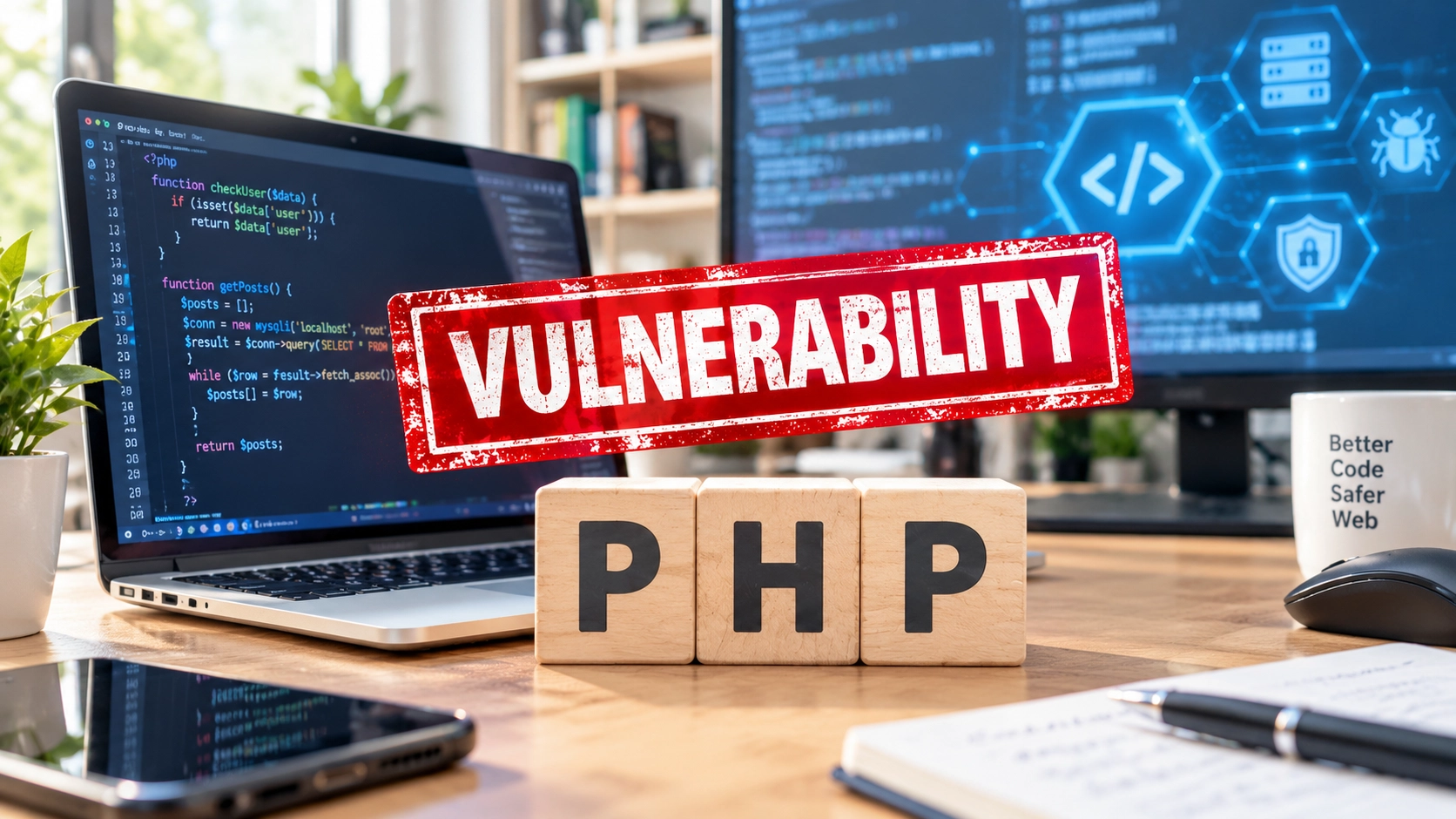
A critical PHP vulnerability has prompted organizations around the world to take websites and online services offline temporarily while applying security fixes. The flaws affect software that powers millions of websites and applications, including WordPress sites, and could allow attackers to execute malicious code on vulnerable servers without logging in.
The PHP development team released security updates on 21 October 2026. However, publishing a fix does not automatically protect every website. Administrators and hosting providers must ensure that the corrected software is installed and running.
For website owners, the priority is to check whether their systems are affected, apply the appropriate update, and investigate possible compromise if there are signs of suspicious activity.
How the PHP vulnerability became a global security concern
On 20 October, the PHP project announced an upcoming security release to address two critical vulnerabilities. The following day, it published the fixes and technical details.
The vulnerabilities are tracked as CVE-2026-109618 and CVE-2026-109619. Both have a CVSS v4.0 severity score of 9.2 out of 10 and could allow unauthenticated remote code execution under the relevant conditions.
The UK National Cyber Security Centre (NCSC) urged organisations to identify systems running PHP and apply the security updates. European cybersecurity agencies issued similar warnings, advising organisations to prioritise internet-facing systems and isolate exposed applications if they could not be secured promptly.
The impact was already visible. The Guardian reported that government organisations in several European countries had temporarily taken websites and services offline as a precaution while preparing to apply the fixes. The Wikimedia Foundation also took several systems offline until they could be updated.
These precautionary shutdowns do not mean that every affected website was hacked. They show how seriously organizations treated the risk of leaving vulnerable systems exposed.

PHP VULNERABILITY
Critical flaws in PHP can put websites and servers at risk. Applying the available security updates is essential to reduce exposure to potential attacks.
Why these PHP vulnerabilities are dangerous
PHP is a server-side programming language. It processes requests on a server, generates dynamic website content, and helps applications communicate with databases and other services.
WordPress uses PHP, as do many other content management systems and web applications. This means a website can be exposed to a PHP security flaw even if its owner never writes or edits PHP code.
The two vulnerabilities involve unsafe memory handling while PHP processes requests:
Both flaws involve how PHP manages memory while processing requests. Under the right conditions, attackers could exploit this behaviour to compromise a vulnerable server.
Memory corruption
When PHP runs out of memory during a request, some internal data may be left only partially initialised. During cleanup, PHP may treat this incomplete data as valid, potentially causing memory corruption and allowing code execution.
Stale internal state
PHP may retain references to memory that has already been released. A later request handled by the same process could use those outdated references before the internal state is properly reset.
In practical terms, specially crafted requests can trigger unsafe behaviour in the PHP runtime. Depending on the circumstances, successful exploitation could allow an attacker to execute code, access sensitive information, or disrupt a service.
How a PHP memory-handling flaw can become a security risk
PHP processes incoming requests. If a critical flaw disrupts how internal data is managed, a vulnerable process may become unsafe and, depending on the flaw and circumstances, could allow code execution.
The PHP runtime processes requests for a website or application.
Incorrect memory handling can leave internal data in an unsafe state.
Install the vendor’s fixed release and review systems for signs of compromise when warranted.
These are vulnerabilities in PHP itself, not simply flaws in a particular WordPress theme or plugin. Updating WordPress core or a plugin does not, by itself, fix a vulnerable PHP runtime.
Were attackers already trying to exploit the flaws?
There are reasons to treat the situation urgently rather than wait for further reports.
Cloudflare reported observing attack traffic associated with the vulnerabilities, including attempts to modify payloads to evade protective rules. The Guardian also reported that Amazon’s security chief described an attempted exploitation of a decoy system on 17 October, before the vulnerabilities were publicly disclosed.
These reports do not establish that every vulnerable website has been targeted or that every attempted exploit succeeded. However, they show why organisations should not assume attackers will wait while administrators plan their updates.
Once technical details and fixes become public, attackers can study the changes and adapt their techniques. Leaving an exposed system unpatched can therefore prolong the risk beyond the initial news cycle.
Which PHP versions are affected?
The PHP project says the vulnerabilities affect PHP installations serving web requests. Its security advisory identifies the following fixed releases:
The PHP project has published security fixes for the following branches. Check the version running on your server and follow the official guidance to install the appropriate update.
| PHP branch | Fixed release | Status |
|---|---|---|
| PHP 8.5 | 8.5.12 | Fixed release |
| PHP 8.4 | 8.4.27 | Fixed release |
| PHP 8.3 | 8.3.36 | Fixed release |
| PHP 8.2 | 8.2.35 | Fixed release |
Administrators should install the latest appropriate security release for their supported branch, following the official advisory and their hosting provider’s instructions.
PHP 8.1 and earlier versions are also affected, but these end-of-life branches are not receiving fixes from the PHP project. Organisations still using them should consult their hosting provider or software vendor about available security options and plan to migrate to a supported version.
Do not assume that a website is protected simply because it runs a recent version of WordPress. WordPress and the PHP runtime are separate components, and the runtime must be secured independently.
For the official version list and remediation instructions, consult the PHP security advisory.
What WordPress website owners should do now
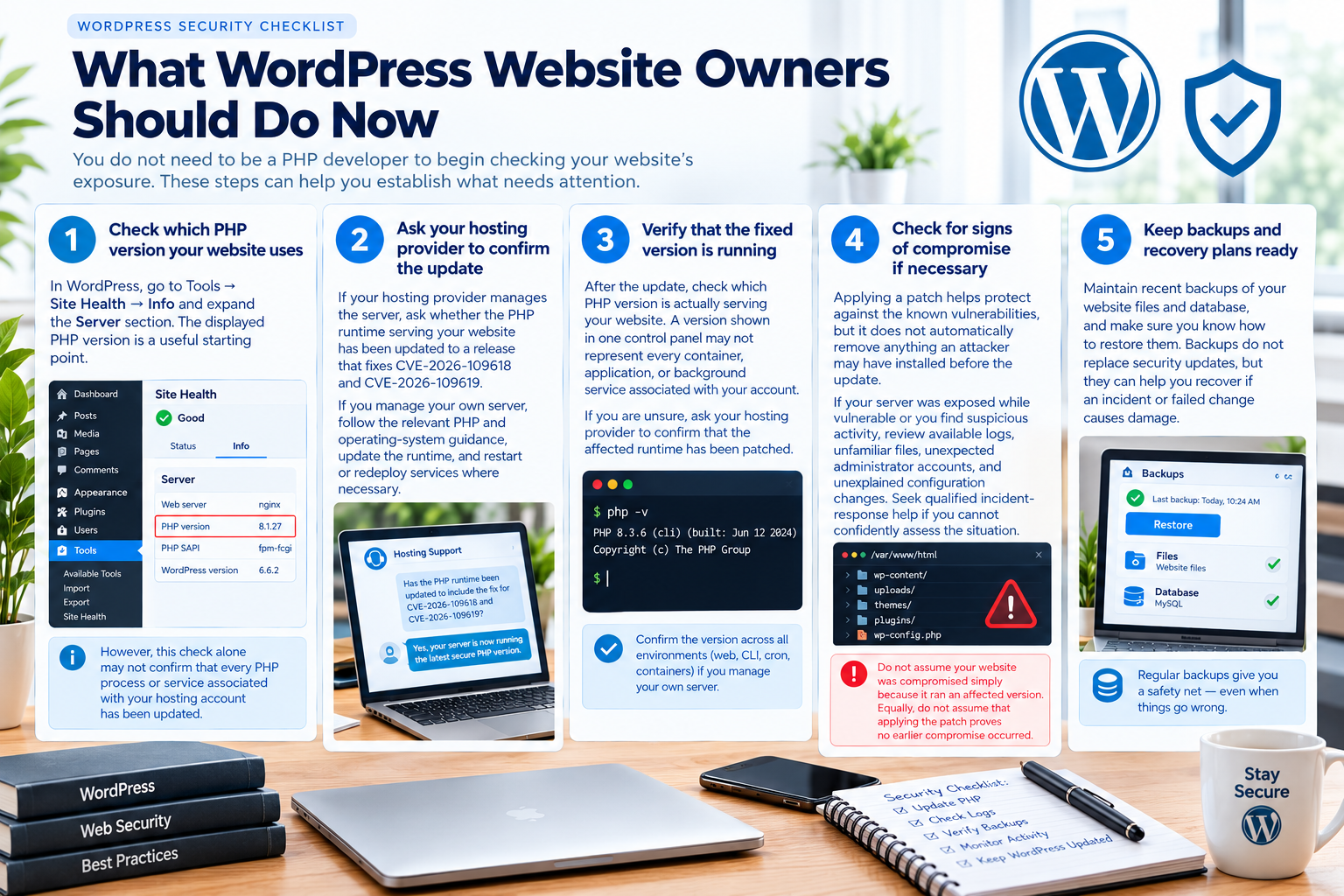
You do not need to be a PHP developer to begin checking your website’s exposure. These steps can help you establish what needs attention.
1. Check which PHP version your website uses
In WordPress, go to Tools → Site Health → Info and expand the Server section. The displayed PHP version is a useful starting point.
However, this check alone may not confirm that every PHP process or service associated with your hosting account has been updated. Your website may rely on different runtimes or bundled software components.
2. Ask your hosting provider to confirm the update
If your hosting provider manages the server, ask whether the PHP runtime serving your website has been updated to a release that fixes CVE-2026-109618 and CVE-2026-109619.
If you manage your own server, follow the relevant PHP and operating-system guidance, update the runtime, and restart or redeploy services where necessary.
3. Verify that the fixed version is running
After the update, check which PHP version is actually serving your website. A version shown in one control panel may not represent every container, application, or background service associated with your account.
If you are unsure, ask your hosting provider to confirm that the affected runtime has been patched.
4. Check for signs of compromise if necessary
Applying a patch helps protect against the known vulnerabilities, but it does not automatically remove anything an attacker may have installed before the update.
If your server was exposed while vulnerable or you find suspicious activity, review available logs, unfamiliar files, unexpected administrator accounts, and unexplained configuration changes. Seek qualified incident-response help if you cannot confidently assess the situation.
Do not assume your website was compromised simply because it ran an affected version. Equally, do not assume that applying the patch proves no earlier compromise occurred.
5. Keep backups and recovery plans ready
Maintain recent backups of your website files and database, and make sure you know how to restore them. Backups do not replace security updates, but they can help you recover if an incident or failed change causes damage.
What if you cannot patch immediately?
The NCSC advises organisations to prioritise remediation and consider taking affected systems offline if they cannot apply the update or appropriate temporary mitigations promptly.
The PHP project has also published hardening guidance and temporary mitigations. Follow the official instructions that apply to your system. These measures should not be treated as a complete replacement for installing the security fixes.
Cloudflare has described web application firewall (WAF) protections for customers using its service. Such protections can provide an additional layer of defence, but they do not remove the underlying vulnerability. Updating PHP remains essential.
For businesses that depend on their websites, the right response depends on their exposure, available protections, and the time required to apply the fix. If you cannot assess these factors confidently, contact your hosting provider or security team rather than leaving the risk unresolved.
Does this mean your website has been hacked?
No. Running a vulnerable PHP version does not automatically mean an attacker has exploited it.
The issue is serious because successful exploitation could give an unauthenticated attacker a way to execute code on an affected server. The actual risk to an individual website depends on its runtime, configuration, exposure, and whether the vulnerable code can be reached.
The sensible response is to verify the system’s status, apply the appropriate fix, and investigate credible signs of compromise. Panic and unsupported claims do not help website owners make better security decisions.
Website security goes beyond WordPress updates
This incident highlights a problem that can affect organisations of every size: a website may be well maintained at the application level while still relying on vulnerable software underneath it.
Keeping WordPress core, themes, and plugins updated is important, but it is only part of website security. Server software, programming-language runtimes, bundled components, and hosting infrastructure also need a clear update process.
Website owners should know who is responsible for each layer, how security updates are applied, and how to verify that the fixes are active. That responsibility should be established before the next critical vulnerability appears.
If you run a website, check your PHP version and confirm that the security update is active. The fixes are available, but your website is not protected until the affected software has been updated or appropriately secured.
Sources
Official advisories and technical reporting used for this article.
- PHP — Official security advisory and fixed releases
- UK National Cyber Security Centre — Critical security issue affecting PHP
- ENISA — Joint statement on critical PHP vulnerabilities
- Cloudflare — Protections against the PHP2Shell vulnerabilities
- The Guardian — Flaw in PHP computer language leads to shutdown of websites around the world
- Google Cloud — Responding to core PHP vulnerabilities
For technical remediation, prioritise the official PHP advisory and guidance from your hosting provider.
Community discussion
Join the conversation
0 comments
Be the first to join in
There are no comments yet. Sign in to start a thoughtful discussion.
Sign in to comment
Join the conversation with your Secritic account. Comments are available to signed-in readers.